Mobile apps built to scale

Launch a branded Shopify mobile app with a visual builder, automatic product sync, and a connected publishing workflow built to support your growth.
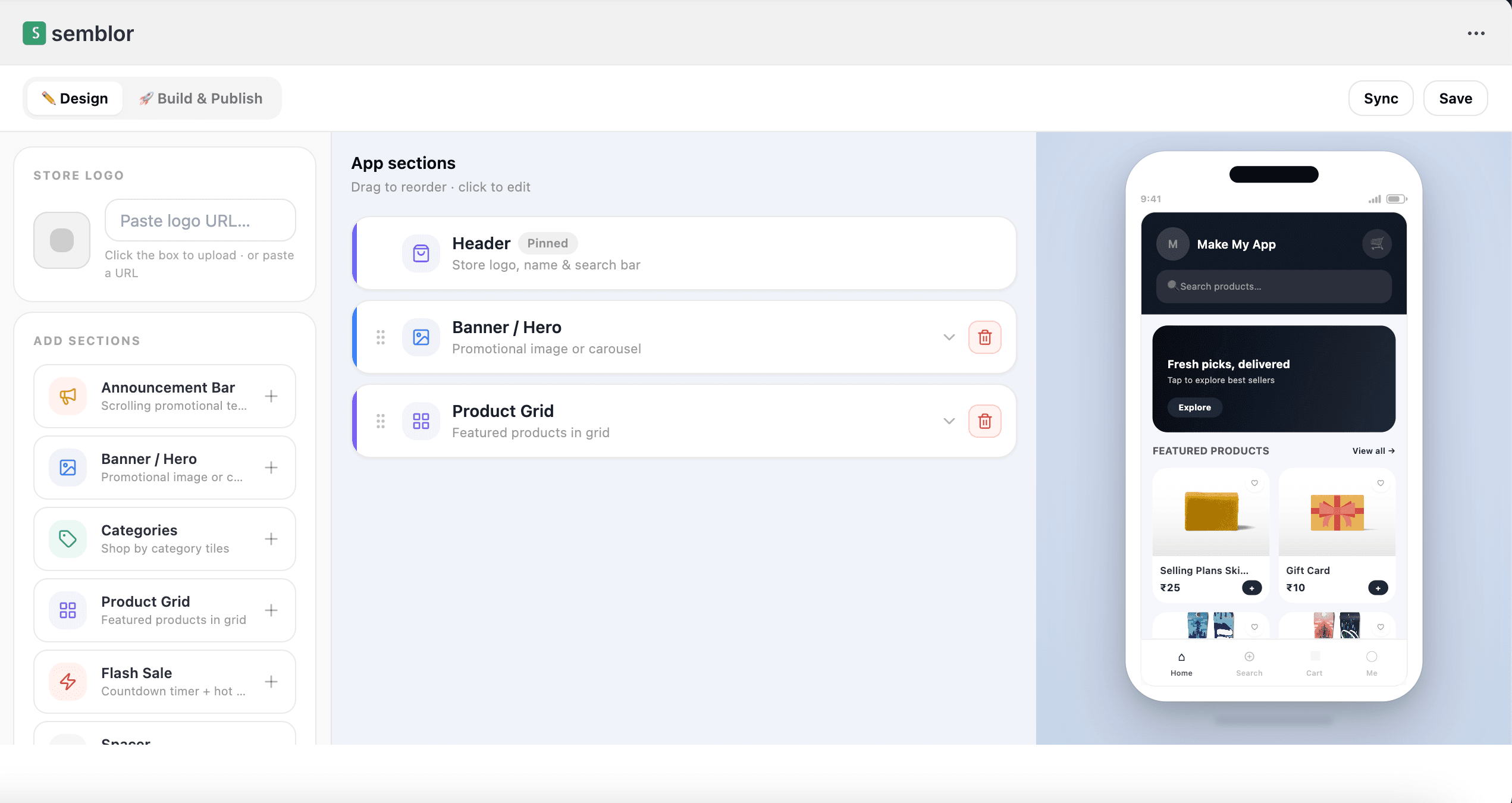
Semblor builder inside Shopify
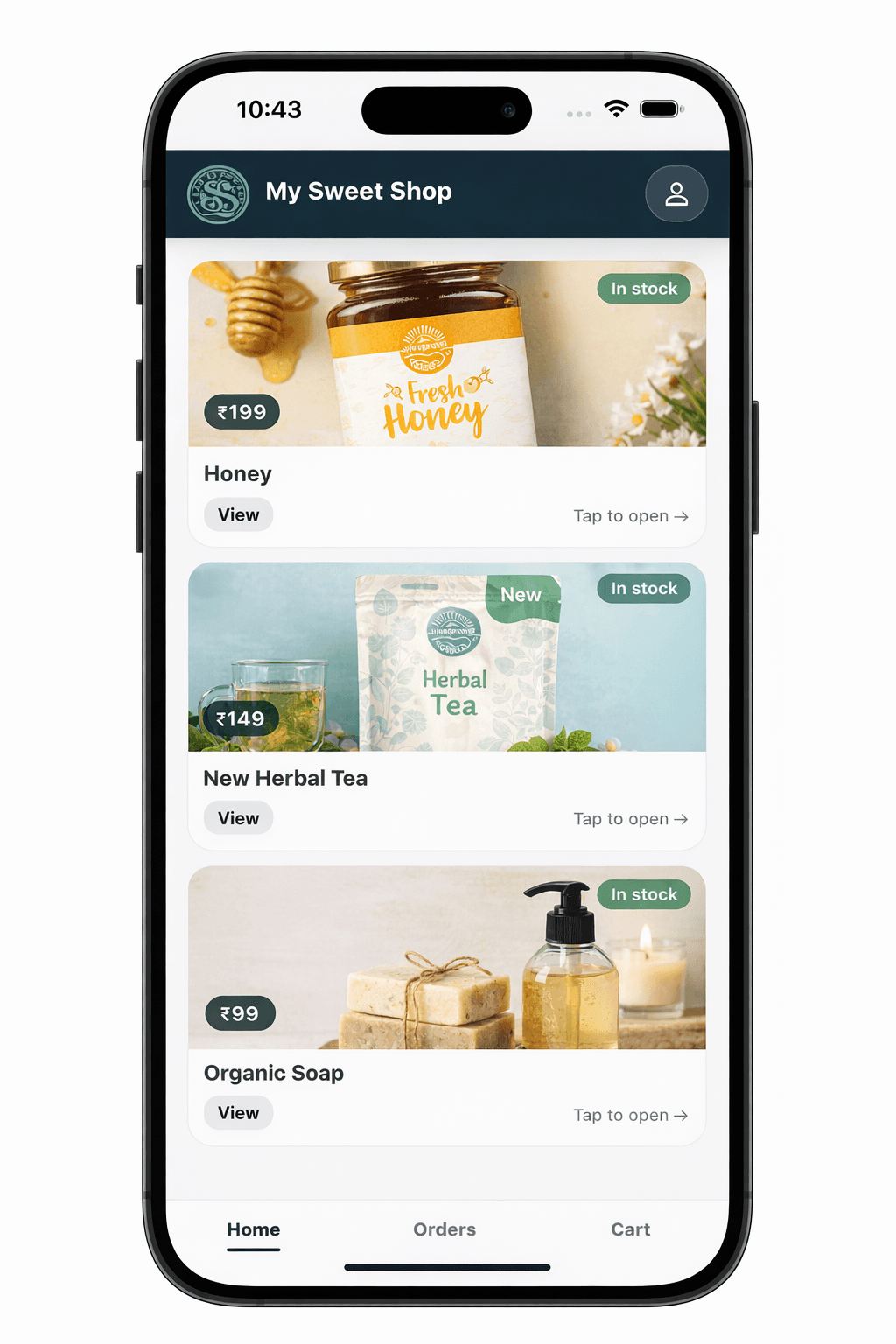
Customer app preview
Semblor builder inside Shopify
Customize sections, branding, and mobile layout inside Shopify Admin
Install on Shopify • Customize visually • Choose plan • Publish mobile app
Built on a Shopify-first workflow
Install inside Shopify, use Shopify OAuth, sync products automatically, and manage your mobile app flow from one connected experience.
Shopify
Shopify-first setup
Semblor opens directly inside Shopify Admin after installation.
No extra login flow
Authentication is handled through Shopify OAuth.
Publishing workflow
Choose a plan and continue through the app build and publishing flow.
Features

Built for a Shopify-first mobile app workflow

Everything needed to install, customize, preview, publish, and manage your app experience from one connected flow.

🧩
Embedded builder inside Shopify

Open Semblor directly inside Shopify Admin after installation.

🎨
Store branding setup

Add store name, upload logo, and apply your app branding quickly.

📐
Section-based app design

Add or reorder sections like Banner, Product Grid, and Categories.

📱
Live mobile preview

See your app layout update instantly while you customize.

🛍️
Auto Shopify product sync

Connected store products populate the mobile app preview automatically.

🚀
Mobile app build & publish

Continue through Build & Publish and move toward your live mobile app from one workflow.

Install from Shopify
Start from the store you already use instead of learning a separate system.
Design visually
Edit sections and preview the app layout without code.
Publish when ready
Activate your plan and continue through the app build and publishing workflow.
How it works

Install, customize, publish

Your current Semblor flow is simple, Shopify-native, and built for faster go-live.

1
Install Semblor on your Shopify store
Semblor opens inside Shopify Admin and uses Shopify OAuth, so no separate login is required.
2
Set store name and customize the design
Upload logo, reorder sections, and preview the mobile app layout instantly.
3
Choose plan and publish your app
Continue to Build & Publish, activate a plan, and move forward with your mobile app workflow.
Semblor builder inside Shopify
What you can do
Upload logo
Reorder sections
Preview app
Publish app
Mobile app preview
Mobile app preview
Integrations

Shopify first. More as you grow.

Start with Shopify install and synced products. Add more payment and publishing capabilities as Semblor grows.

See plans
Shopify OAuth
No separate authentication flow is required.
Product Sync
Store products automatically populate the app preview.
Build & Publish flow
Plan activation unlocks the mobile app publishing workflow.
What merchants say

Shopify merchants love it

Shopify store owner

Sync with Shopify saved time. No double product upload — everything just appeared in the app automatically.

Fashion brand on Shopify

The visual builder made it really easy to set up sections and preview exactly how the app would look.

Electronics retailer

Assisted publishing meant we didn't have to figure out Google Play ourselves. The team guided us through it.

FAQ

Questions people ask before buying

Do I need separate login credentials?
No. Authentication is handled through Shopify OAuth after installation.
Where does Semblor open?
Semblor opens inside Shopify Admin after installation on your store.
Can I customize my mobile app layout?
Yes. You can upload logo, reorder sections, and preview the app layout inside the Semblor builder.
How do I publish my mobile app?
After plan activation, go to Build & Publish and continue through the app build and publishing flow.
Ready to publish your Shopify mobile app?
Install Semblor on Shopify and start customizing your app right away.